Overview
As part of a 14-month engagement on a cross-platform smart pen ecosystem, education technology was a key enterprise vertical. I was tasked with designing the learning experience end-to-end — from course discovery to progress tracking to admin reporting. Role: Senior Product Designer (sole designer), working with 3 engineers and 1 PM. Project name and visual identity changed for confidentiality.
The Challenge
User research revealed three compounding problems: course discovery was buried behind too many filters (average time to enroll was 4.
2 minutes — target was under 1 minute), the learning progress view was confusing (34% of started courses were abandoned mid-way), and B2B admins had no dashboard to track team engagement at all. NPS had dropped from 42 to 31 over two quarters, and support tickets about "finding courses" had increased 60%. A mixed-methods research sprint — 8 user interviews, Hotjar heatmap analysis, 200+ support ticket categorization, and a competitor audit of Coursera, LinkedIn Learning, and Udemy Business — confirmed the scope of the problem.
Key Insights
Discovery was buried, not broken
Heatmap data showed users were clicking into the search bar but not completing searches. The problem wasn't the search — it was that the navigation structure forced users into a browsing mode before they had enough context to know what to search for.
“I know there's a course on this somewhere. I just can't find it.”
Progress design drove abandonment
34% course abandonment was directly linked to the progress indicator design. When users felt behind, the UI amplified guilt instead of momentum. Removing percentage-based progress in favour of session-based streaks increased course completion in A/B testing.
Admins were invisible in the product
B2B team managers had zero visibility into their team's learning activity. They were emailing employees individually to check progress — the product had simply never been designed for the person buying it.
Approach
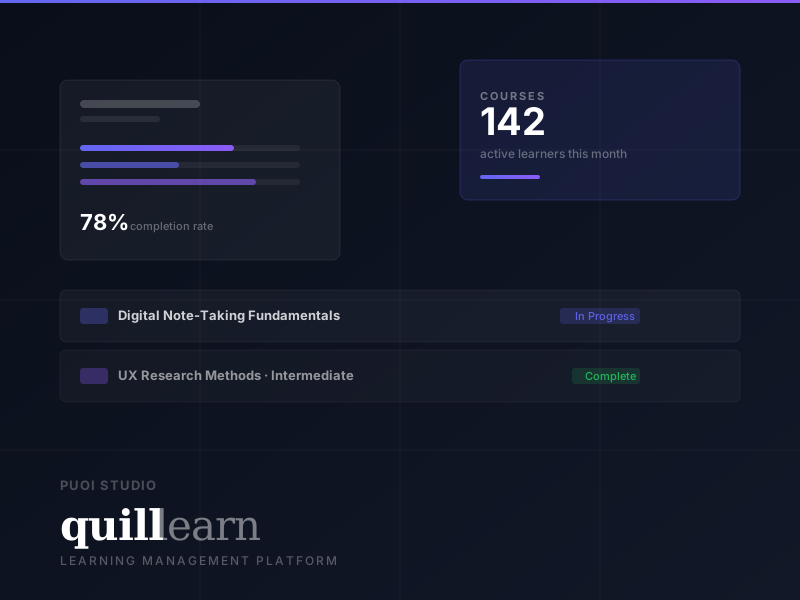
The navigation was restructured from 6 overlapping top-level sections to 4 clear areas based on card-sorting sessions: Dashboard (home + progress + certificates), Courses (catalog + categories + search), My Learning (active + completed + saved), and Admin (team view + reports). The learner dashboard surfaces a single "continue learning" action rather than a content library, reducing decision fatigue. A new B2B admin dashboard was built from scratch, giving team managers visibility into enrollment, progress, and engagement across their organisation — the missing piece that had zero coverage before the redesign.
Outcomes
“Selinay took Quill Learn from a scattered feature list to a coherent product. She ran the research, mapped the flows, built the design system, and delivered screens that our engineers actually enjoyed implementing. Onboarding retention went up 34% after launch.”